Adaptive Technologies
Accessibility to computers is very important in order
for
the user to work comfortably and effectively. For
example
the keyboard, it is one of the most used
peripherals
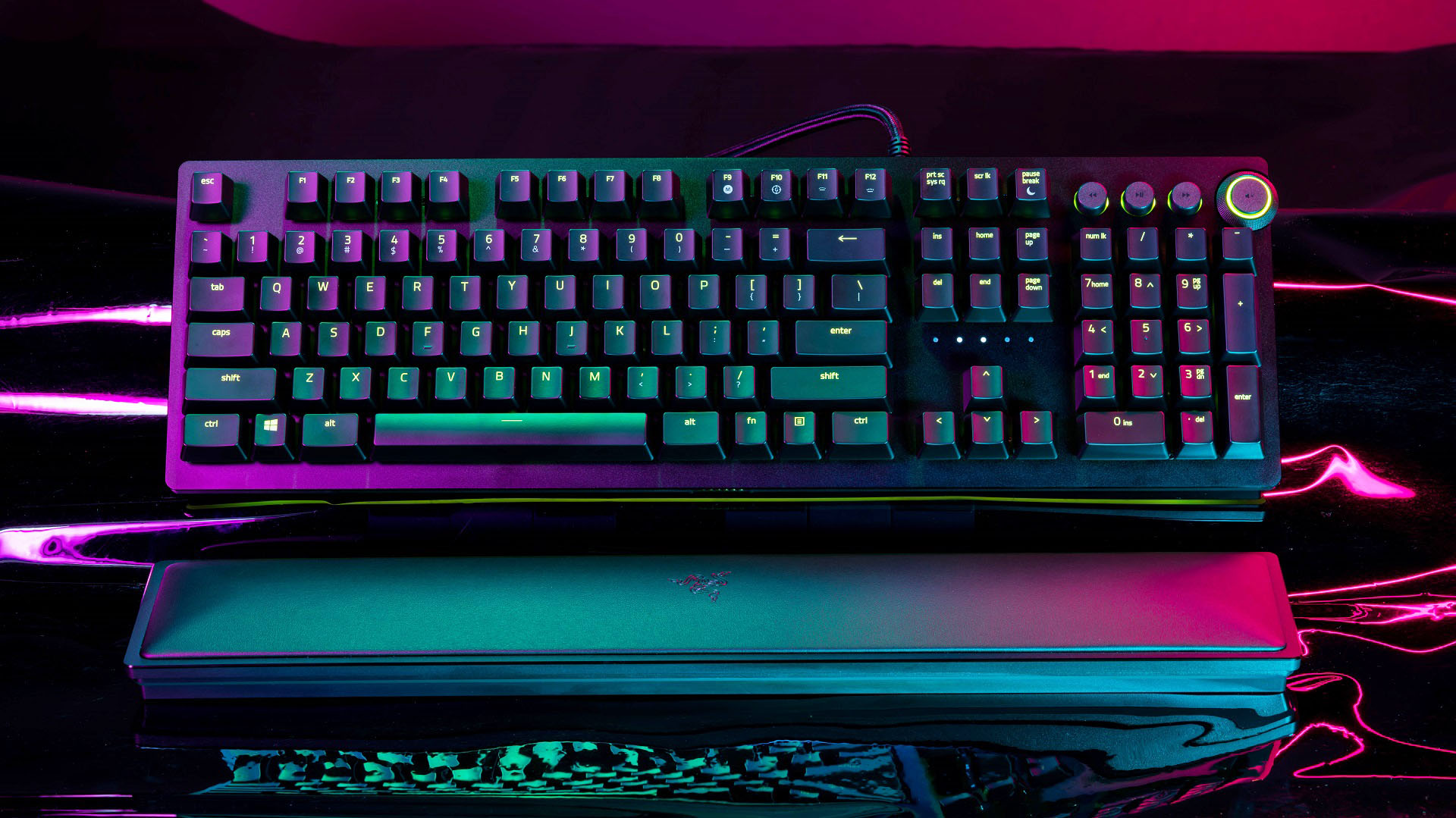
alongside the mouse. One way that razer have
improved the
keyboard, is by making the switches easier to
press. This
reduces the strain put on the user when typing
for prolonged
periods of time.
(1)
The Razer Huntsman Elite was designed for gaming, however
this does
not mean that it cannot be used for day to day work.
It packs loads
of features, such as their trademark opto-
mechanical switch. There
is a light sensor which activates when
a key is pressed sending a
signal to the keyboard to actuate the
switch command. (2)
While typing seems very easy and simple,
doing it for prolonged periods
of time could cause some negative
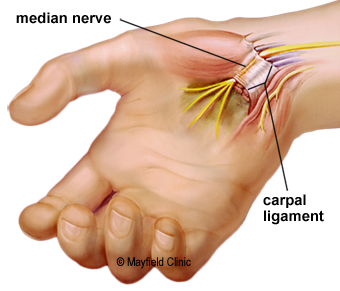
effects. Carpal tunnel syndrome is caused
due to the median
nerve being pinched as it travels through the wrist.
While typing
is not a direct cause to this, it can worsen the effects.
(3)
What
causes carpal tunnel syndrome however is using a mouse for
prolonged
periods of time. The reason is that doing a repeated
action
strains your median nerve, this nerve is on the palm side
of the hand. Which
is also known as the "carpal tunnel". (4)
(5)
(6)
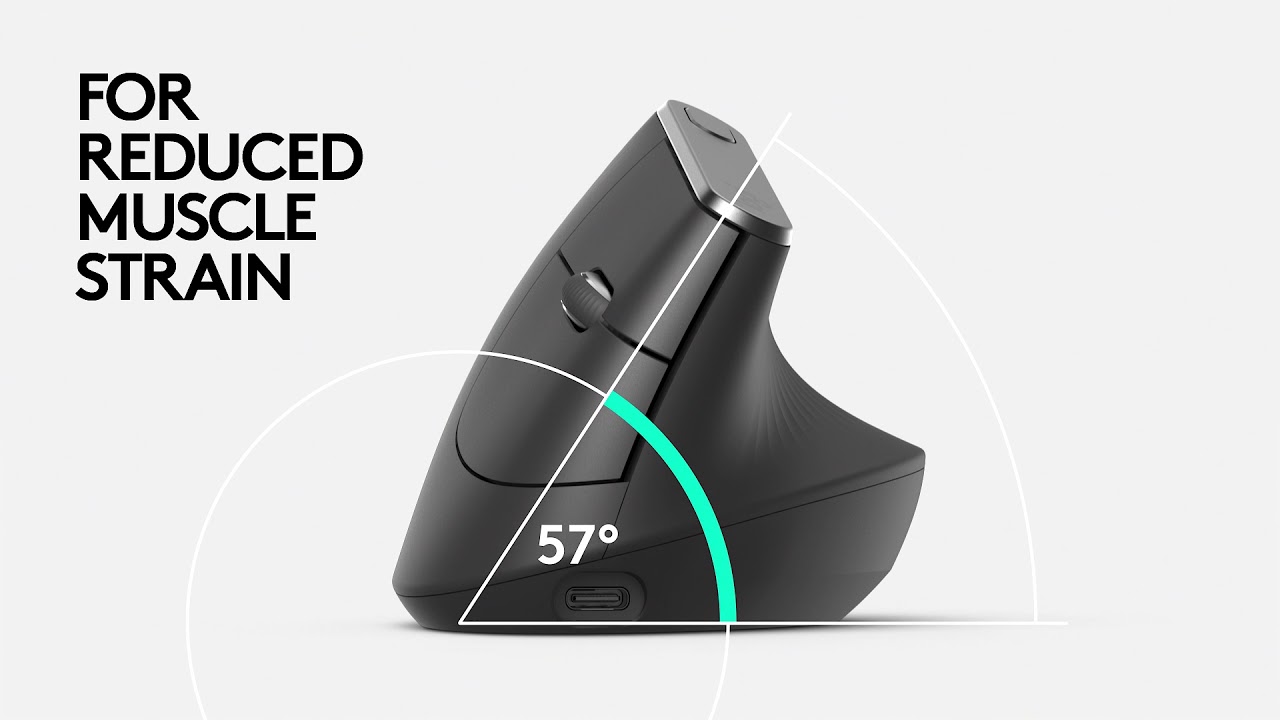
The mouse shown above is the Logitech MX Vertical,
a mouse designed to mitigate the chances of you getting carpal
tunnel syndrome. The reason that this works is because the angle
you hold the mouse at is 57°. This reduces muscle strain by 10%
as well as the pressure you put on your wrist throughout the day.
(7) Not to mention the mouse is equipped with a precise DPI
censor which allows for 4x less hand movements. While there is
no software to change the DPI settings, there is however a
designated speed switch. Which allows the user to quickly and
easily change the speed setting to their desire. (8) This mouse
when used in the office environment can improve the computer
accessibility by making it easier for any user to just pick up the
mouse and start working. There is little to no learning curve and
it can benefit the user's health in the long run.
Another very useful tool is speech to text apps. These apps take a
person's spoken words
and turns them into written words. (9)
These apps are particularly useful for when you have an injury, or
perhaps when you have a
disability. While speech to text apps are
not perfect they are improving all the time
and can make the
computer far easier to use. Not only is typing tedious and time
consuming
but it also is damaging if done too often. (10)
Another
benefit of using speech to text apps is that you can get your point
across far better. Sometimes when
people type things out it sounds
very choppy, but these apps allow there to be flow when a person
is
speaking into their microphone.

not have the best eyesight. It makes normal tasks like
browsing the web or watching videos a lot easier. It is
important not to strain your eyes and be comfortable
while using the computer. When having an image
magnifier app installed it acts as a magnifying glass that
is constantly hovering around your cursor. (11) This
enlarges everything and that makes it easier to read, most
basic apps can make text and pictures on the screen 20
times larger than their original size. It is important to
cater to every age group and the only way to do that is
to make computers easy to use for everyone.

Another way to make computers easier to use and see is
increasing or decreasing the colour vibrance. Most
computers do not
have a very high colour vibrance by
default. However some may have this feature already
enabled, what colour vibrance does is
it takes the text and
the background colour on the screen and contrasts them
further. Some people may have a more difficult
time
reading different combinations of colours on the
screen. This feature can make using a computer for
long periods
of time easier on the eyes. (12) People who
do not have
any trouble reading things on the screen
should not enable this feature because viewing colours at
such a high vibrance and
contrast can put a lot of strain on
the person's eyes. In conclusion there are many different
apps and peripherals that make
computers easily
accessible to everyone, and there will continue to be
developments in the future. This will hopefully
allow
and effectively.